Seoul Intercity Bus Tickets: English Kiosks

Table of Contents
To buy Seoul intercity bus tickets, first match your destination to the correct terminal and bus type, then use an English-capable kiosk or the staffed ticket counter. At the terminal, check the departure monitor for your platform and board 5 to 10 minutes before departure.
This guide covers the ticketing steps at Seoul’s bus terminals, including what to do if an English kiosk or online booking is not straightforward.
Choose the right bus service and Seoul terminal
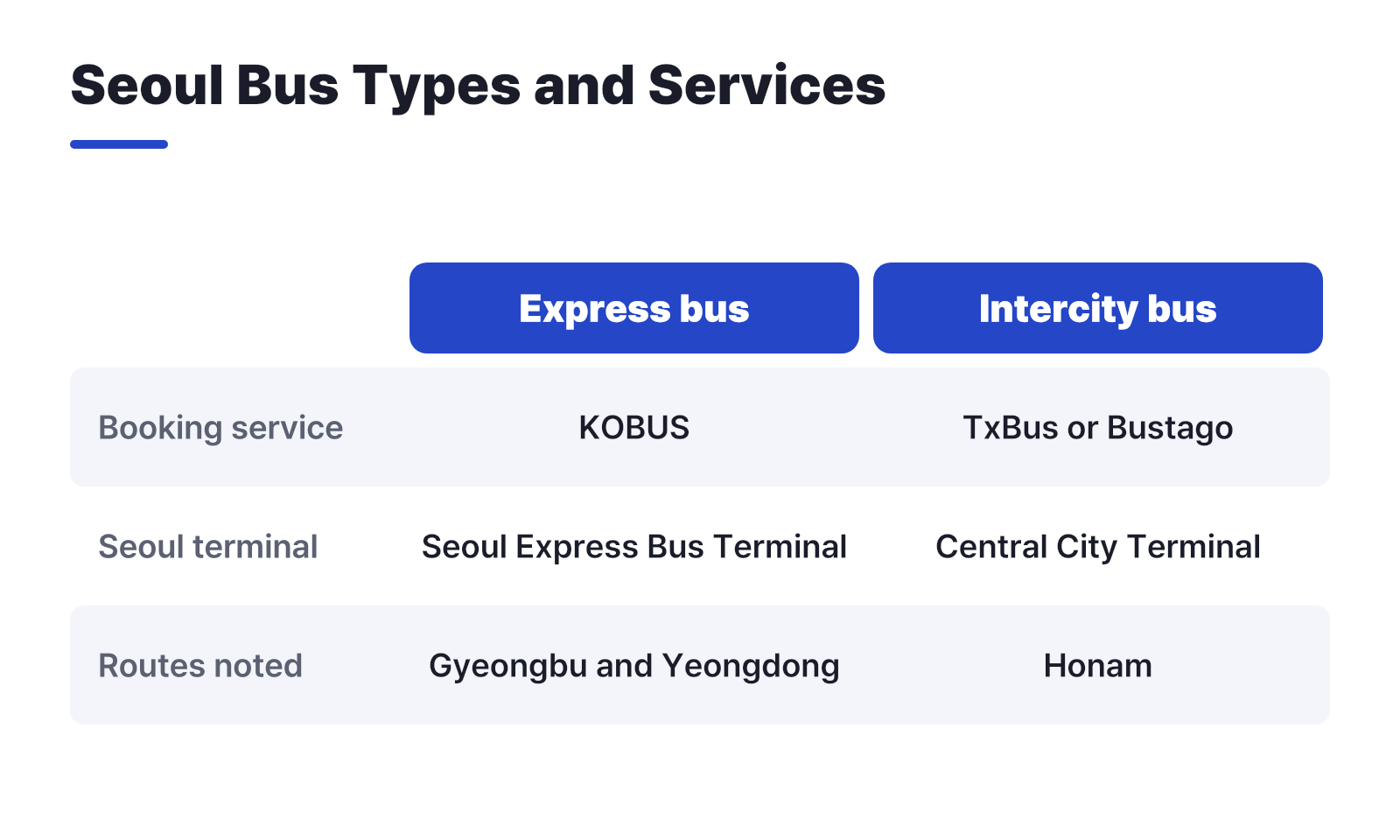
Express buses (고속버스, gosok beoseu) and intercity buses (시외버스, si-oe beoseu) use different booking services, and Seoul departures are split among terminals. Confirm both the bus type and the terminal for your destination before setting out; a ticket for the right city from the wrong terminal will not get you to the departure platform.
| What you are booking | Booking service | Seoul terminal detail |
|---|---|---|
| Express bus (고속버스) | KOBUS | Seoul Express Bus Terminal (서울고속버스터미널) serves Gyeongbu and Yeongdong lines. |
| Intercity bus (시외버스) | TxBus or Bustago | Central City Terminal (센트럴시티) serves Honam lines. |
| Other regional departures | Check the route on the relevant service | Dong Seoul Terminal (동서울터미널) and Sangbong Terminal (상봉터미널) are also among Seoul’s major bus terminals. |
KOBUS is for express buses; TxBus and Bustago handle intercity routes. The Korea Tourism Organization lists English-language options for these official ticketing sites. A route search is a useful first step, but use the terminal shown for the actual departure rather than choosing one based only on its name or your hotel’s location.
Seoul Express Bus Terminal and Central City Terminal are separate terminal names, even though both are in the Gangnam terminal area. If your booking says Central City, follow that destination on your trip plan; do not assume that any bus leaving the nearby express terminal is the one you need.
What to prepare before buying Seoul intercity bus tickets
Before you enter a kiosk queue, have the destination, travel date, and preferred departure time ready, and know which Seoul terminal your route uses. That small amount of preparation makes it easier to recognize the correct journey on a kiosk screen and to catch a mismatch before paying.
- Write down the destination name in Korean as well as English, especially if you may need help at a counter.
- Keep your travel date and approximate departure time available so you can compare the listed departures.
- Decide whether you are booking an express bus or an intercity bus by checking KOBUS, TxBus, or Bustago for the route.
- Bring a payment method you can use at the terminal. Tickets can be bought at ticket offices and kiosks with cash, credit card, or mobile pay.
- If you already booked online, keep the reservation details accessible and allow time to confirm whether that booking needs a printed ticket.
For a short or less familiar destination name, saving the Korean spelling can help you show the exact place at the staffed counter. Avoid relying on a translated place name alone if the city has similarly named stops or terminals.
How to use an English ticket kiosk at the terminal
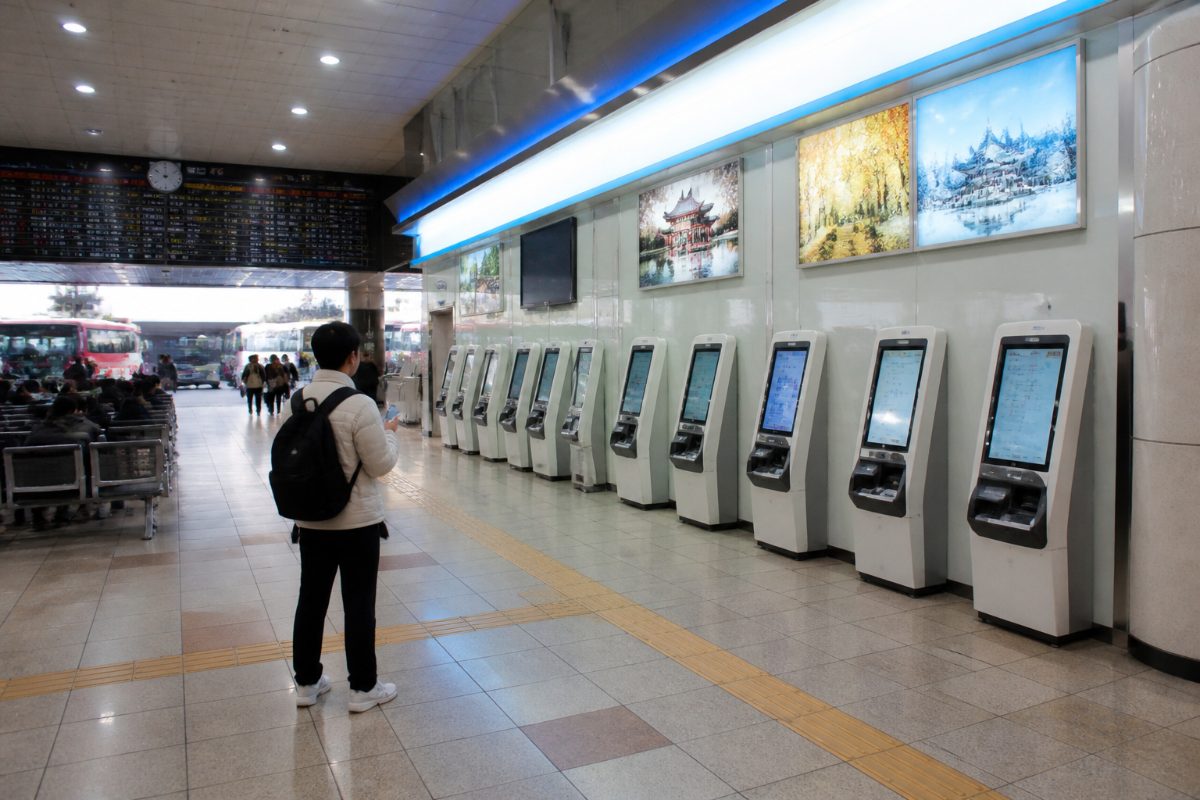
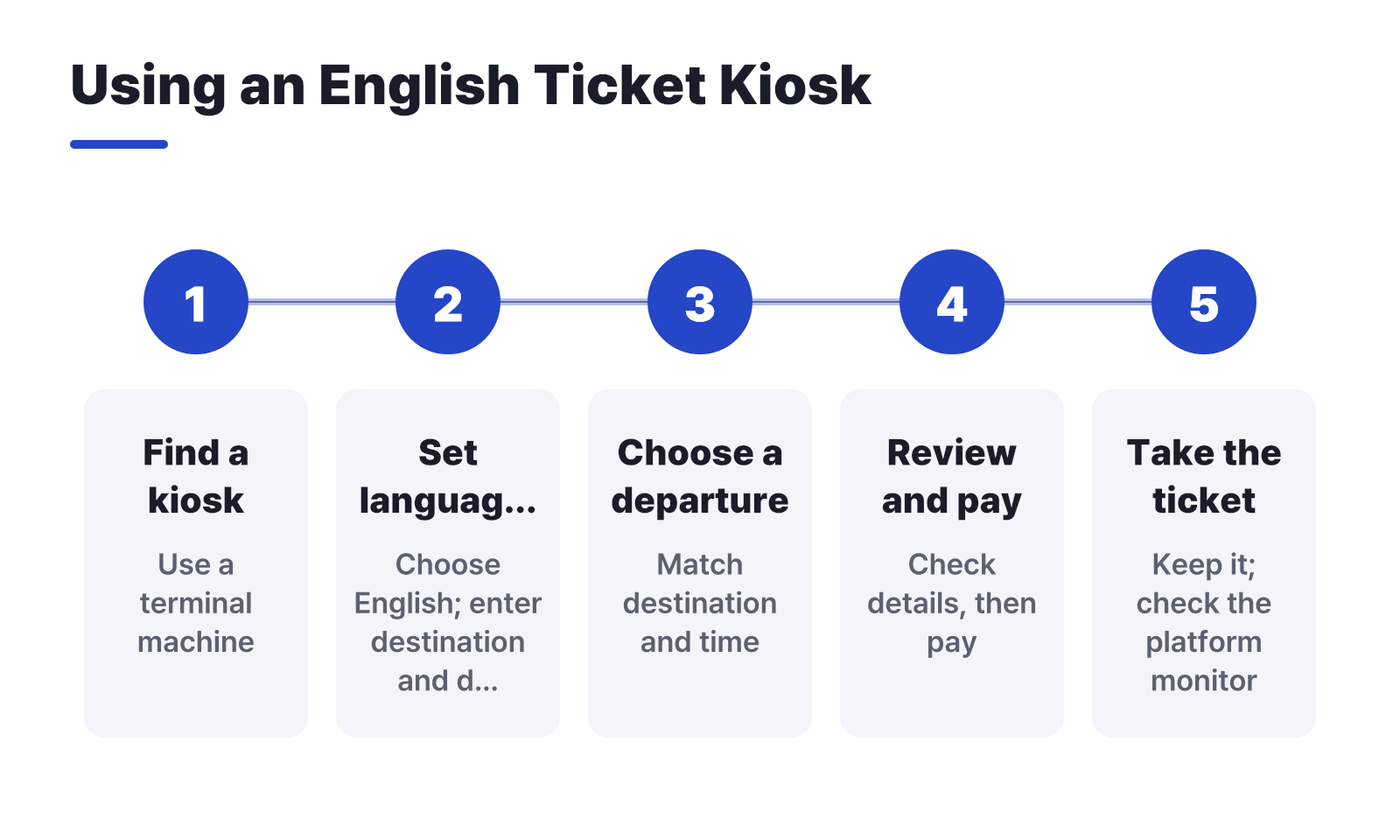
English-supported kiosks are available inside bus terminals, but the screens can still feel unfamiliar on a first visit. Follow the journey details carefully: select English if offered, choose the destination and departure that match your plan, review the ticket information, then complete payment and keep the ticket.
- Find a kiosk. Look for a self-service ticket machine inside the terminal. Some machines support English; if the machine in front of you does not offer an English option or the route is hard to identify, use a staffed ticket office instead.
- Set the language and journey. Choose English if it is available, then enter or select your destination and travel date. Match the destination to the terminal and bus type you checked before arriving.
- Choose a departure. Compare the displayed departure times and select the one that fits your plan. Read the destination and time on the review screen before continuing; do not pay until both match your intended trip.
- Review and pay. Check the journey details shown by the machine, then choose an available payment method. Cash, credit card, and mobile pay are accepted for terminal ticket purchases.
- Take the ticket. Keep the printed ticket with you and look for the departure platform on the terminal’s waiting-area monitor. If the machine does not complete the purchase or the ticket details look wrong, stop and ask at the staffed ticket office rather than starting a second purchase immediately.
Screen layouts and wording can differ between machines, so this sequence describes what to verify rather than naming particular buttons. The key checks are the destination, departure time, and terminal. An English display helps with navigation, but checking those details prevents a language setting from becoming a substitute for confirming the route.
When to use the ticket counter or book online
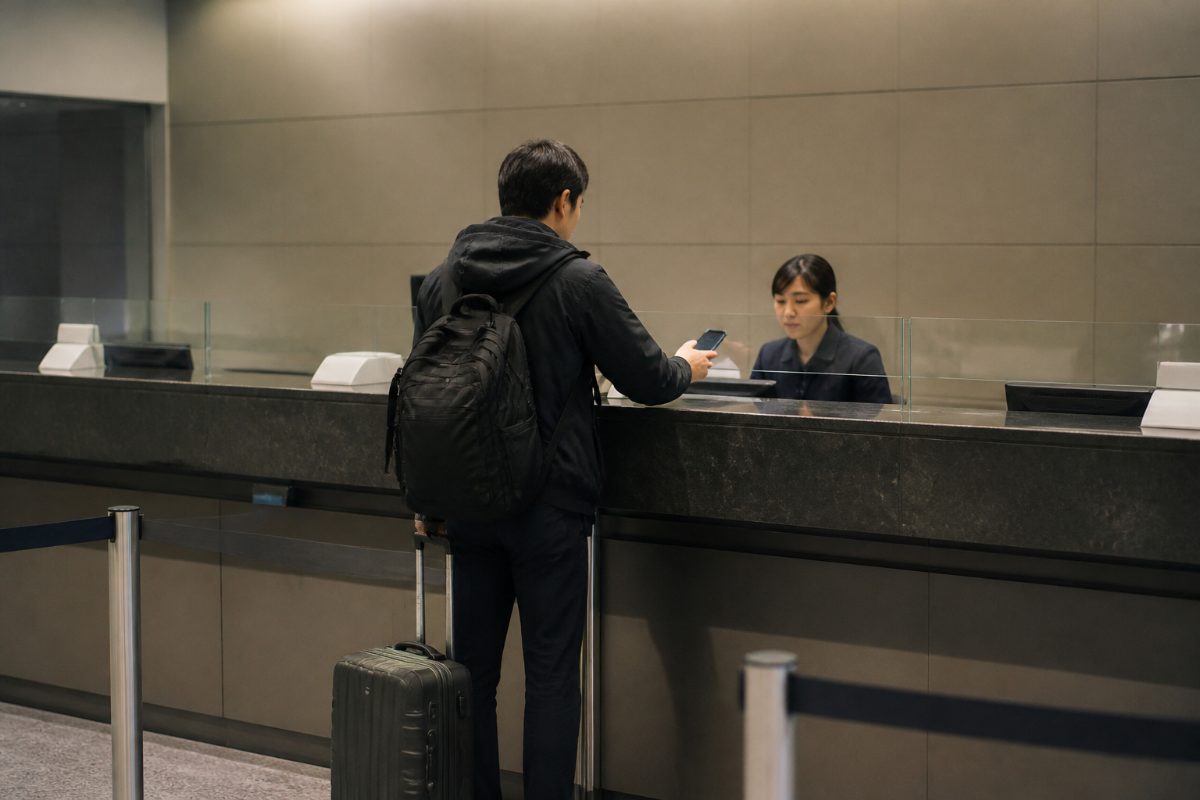
A staffed counter is the practical fallback when the kiosk does not show English, the destination is unclear, or a booking needs attention. Online booking can save time, but the ticketing steps after you arrive depend on the destination and booking method, so confirm the reservation before heading to the platform.
At the counter, show the destination name in Korean if you have it saved, along with your travel date and preferred departure time. The staff member can help identify the route and issue a ticket. Do not assume that a nearby counter or kiosk sells the same type of bus ticket for every destination; check that the departure terminal and service match your route.
For online reservations, the Korea Tourism Organization advises travelers to confirm the booking before travel. Some routes or booking methods require you to print the ticket at the departing terminal’s ticket office before boarding. TxBus also states that its ticket-issuing process may require the credit card used for the reservation; if that card is lost or its number is unavailable, its terminal guidance directs passengers to a staffed booth with the reservation’s date of birth and phone number.
Do not leave the terminal based only on a booking confirmation if the trip instructions call for a printed ticket. At the departure terminal, check the reservation details and complete any required ticket issuance first. Keep the booking confirmation available until you have the ticket needed for boarding.
Find the platform and board your bus
After you have the ticket, use the monitor in the waiting area to find the departure platform number, then go to that platform and board 5 to 10 minutes before departure. The platform number on the terminal screen is the operational detail to follow; a ticket alone does not tell you where to wait inside a large terminal.
- Read the departure monitor and match the destination and departure time to your ticket.
- Note the platform number shown for that departure and walk to the corresponding boarding area.
- Keep your ticket ready and board when your bus is called or ready for boarding, aiming to arrive 5 to 10 minutes before the scheduled departure.
If the screen shows a platform that differs from an earlier display or your ticket is difficult to match, ask terminal staff to confirm the departure before boarding. Do not choose a bus only because it is waiting at a nearby platform; compare its destination and departure with your ticket.
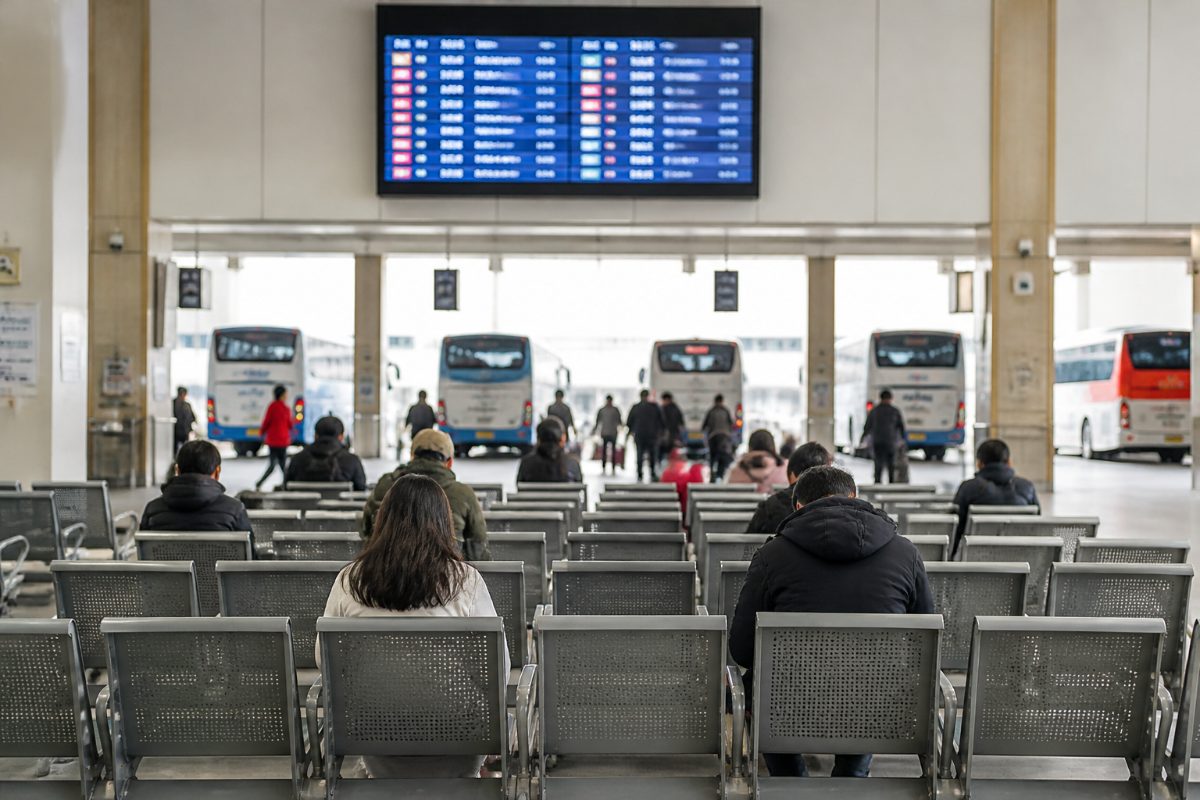
Before leaving for the terminal, search your destination on the correct booking service, note the terminal name in Korean, and save the departure details on your phone. At the terminal, finish ticket issuance first, then use the waiting-area monitor to go directly to the platform printed for your departure.
References
- KoreaExperience — Discover Hidden Gems & Local K-Perks
- Express Bus Korea Foreigners — If Tickets Fail | KLifeChoice
- TxBus
- Express Bus & Intercity Bus- VISITKOREA
Information in this post was checked as of November 2026. Policies and prices may change, so please verify important details with official sources.


Comments
Post a Comment